
Does Quark Network Disk have a resource search function?
Quark Network Disk does not have a resource search engine open to the entire network. Th
e search in the App mainly searches for files already in your own network disk. If you want to find resources shared by others,you generally have to first get the sharing link and extraction code from external channels such as communities, forums, resource sites, etc., and then open the link in Quaker and transfer it to your own network disk. Therefore, there is a misunderstanding in the statement "Searching for resources in Quaker". Understanding this first can save you a lot of detours.
After getting the Quark sharing link from the outside, how can I transfer it to my own network disk?
Open the sharing link given by the other party in the Quark App or web version,
enter the extraction code (if set) as prompted, enter the sharing page, select the file to be saved, click "Transfer/Save to Network Disk", and then select the target folder. The transferred files will occupy your own network disk space. Note: After transferring other people's resources, you may be warned or cleared because the file violates regulations. Contents from unknown sources should be saved with caution.
What is the extraction code for the Quark sharing link and where to enter it?
The extraction code is a password added by the sharer to the link. Only the person who g
ets the extraction code can open the share. Usually the other party will send you the link and the extraction code together. After you open the link in Quaker,an input box will appear. Fill in the extraction code to enter the sharing page for transfer. If there is only a link without an extraction code, or the extraction code is wrong, it will not be opened and you need to find the correct extraction code from the sharer.
Why do many Quark network disk resource links fail when opened?
One of the main reasons is platform inspections: Quark conducts automatic audits and ins
pections of illegal and overseas film and television resources. Starting from April 2026,it will conduct strict inspections of American dramas, Korean dramas, Thai dramas, etc., and a large number of resources will be removed from the shelves and deleted, and file names will also be recognized if they are changed. Another reason is that the sharer actively canceled the sharing or the file was deleted. Therefore, links circulated externally are often invalid, and links may not still be available when found. It is recommended to save important content locally.
I heard that changing the file name can avoid Quark’s investigation. Is this true?
Unreliable. According to the current information,
Quark’s inspection of illegal and overseas film and television resources will not only look at file names, but also name changes will be identified and cleared. Starting from April 2026, this kind of inspection will be more stringent. Therefore, "changing names to avoid review" is basically not valid, and the targeted resources will be deleted regardless of whether they should be deleted. Rather than hoping to take advantage of loopholes, it is better to back up important files locally and on multiple platforms, not just in Quark. The specific inventory scope will change and must be based on the actual performance of the platform.
What's going on with the "1TB" temporary space given to new users when they transfer resources?
According to online rumors,
when a new user transfers someone else's shared link to his own network disk for the first time, it will trigger a temporary reward space such as "1TB". However, most reports say that it is valid for about 90 days/3 months and will be recycled upon expiration. It is not permanent. The permanently free version is only about 10GB basic. Whether it is still being distributed, the specific rules and duration are subject to the actual display in the App and need to be confirmed by actual testing. Do not put long-term important information on this temporary space.
Can Quark Network Disk transfer the sharing of an entire folder in batches?
Quark supports batch transfer,
which can save multiple files or the entire shared folder at one time. However, the batch quantity and single limit are usually related to the account level, and the transfer limit for members is higher. How much can be transferred at one time and whether there is a daily limit for the free version. The material does not give an exact number. It needs to be based on the actual prompts in the app and confirmed by actual measurements. Note that transferring will occupy your own network disk space. Check whether the capacity is sufficient before transferring the entire folder.
FAQ
Below are the most common questions and answers about Complete guide on how to find resources, search, and transfer and save resources on Quark Network Disk. Click any question to read the full details.
I can't find a certain drama on Kwakri. Is it not available or is it blocked?
Many times it’s not “no”, but it has been blocked by inspection. Quark conducts automatic audits for violations and overseas film and television resources. Starting from April 2026, it will conduct strict inspections of popular dramas. A large number of resources will be removed from the shelves and will be deleted if their names are changed. Therefore, you can’t find them by keywords, or the links you find quickly become invalid, and they are often cleaned up. The specific functions and steps of keyword search resources on the Quark site are not covered by the materials and need to be tested; don’t just rely on Quark for important resources.
How to judge whether a Quark shared link is safe or not, and whether to transfer it?
First, check whether the source is trustworthy, and be wary of links circulating in unfamiliar groups and advertising pages; secondly, pay attention to whether the content is compliant. If you transfer resources involving copyright or violations, your account may also be warned or restricted. Quark may give tips on risky documents, but it is more prudent not to easily transfer content from unknown sources, and to obtain important documents through formal channels. Specific risks are subject to actual conditions and need to be identified by yourself.
Can the transferred files be viewed/previewed directly online, or do they have to be downloaded?
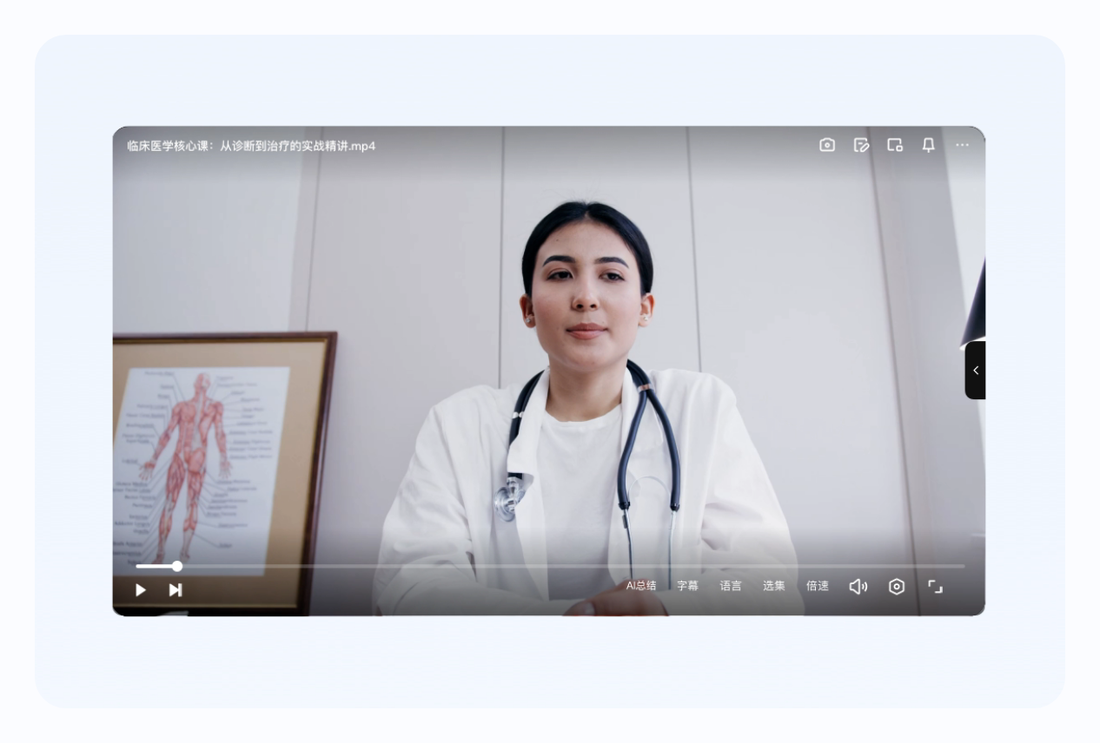
Quark Netdisk supports online preview and online playback. Most common formats such as documents, pictures, audio and video can be opened and viewed directly in the Netdisk without downloading. Videos can also be played while downloading. Therefore, the transferred videos can usually be watched online without having to download them locally first. However, the image quality and double speed of online playback will be affected by the free/membership tier, and overseas cross-border networks will also affect the smoothness. The actual performance of the App shall prevail.
What do the words "instant transfer/harmony/invalidation" commonly used when looking for resources mean?
"Instant transfer" means that the transfer of files uploaded by others can be completed almost instantly without re-uploading; "harmony/inspection" means that the resource has been reviewed and deleted by the platform due to violations or copyright; "invalid" means that the link cannot be opened, which may be due to inspection, cancellation of sharing, or extraction code error. Understanding these words can help you determine whether a share is still usable. The overall trend is that starting from April 2026, inspections will become stricter and the stability of external links will decrease. Please back up important content locally.
Are Quark search (Quark App search) and Quark network disk resource search the same thing?
Not the same thing. The Quark App comes with a browser-style search for information on the entire network, which searches web content; the search on the Quark network disk searches for files in your own network disk, and does not provide a search for public resources across the entire network. Many people confuse the two and think that they can search for film sources in the network disk like a search engine, but this is not possible. To find others to share, you still have to rely on external channels to get the link and then transfer it.
Is it feasible to transfer resources from Baidu Netdisk and Xunlei to Quark Netdisk?
It cannot be directly moved across platforms with one click. A common practice is to download files from other network disks to the local computer and then upload them to Quark; or to get the other party's Quark sharing link and then transfer them to Quark. Note that cross-platform downloads and uploads are subject to their own speed and space limitations. The actual download of Free Quark is only a few hundred KB/s, which is slower for large files. Resources involving copyrights or violations may be traced wherever they are moved, and important content may be stored locally for greater stability.
Is there any daily quantity or capacity limit for Quark network disk transfer?
The material does not separately provide the specific number of items that can be transferred per day or the upper limit of the capacity of the free version, which needs to be confirmed by actual testing. What is certain is that the transferred files will consume your own total capacity (about 10GB for free, 3TB for VIP, 6TB for SVIP), and naturally you will not be able to save them when the capacity is full. New users may receive approximately 1TB of additional temporary space for their first rollover (multiple bids expire in approximately 90 days). The limit on the number of daily transfers is subject to the actual prompts in the app.
How to organize the large amount of transferred resources in Quark Network Disk so that they can be easily found?
You can create new folders for classified storage, archive the transferred files by type or source, and then use the network disk search to find them by file name. Quark supports column view and multi-tab pages, and complex levels can be switched quickly. Developing the habit of "categorizing as soon as you transfer them, and keeping a local copy of important files" can prevent resources from being piled up and difficult to find, and prevent links or files from being lost after being audited. The specific organizing functions are subject to the actual App.
How to set the extraction code and validity period when sharing with others to make it safer?
When you select the file point to share in Quaker, you can usually choose whether to set an extraction code and the validity period of the link (such as permanent or limited days). If the extraction code can only be opened by those who have obtained the code, limiting the validity period can reduce the risk of long-term link leakage. It's generally okay to share your legal files, but don't share illegal content to avoid having your account restricted. The specific options are subject to the actual display in the App sharing panel.
Why are some resources successfully transferred, but then disappear after a few days?
Most likely, the file was inspected and deleted by the platform due to violations or copyright, and the copy you transferred was also deleted; starting from April 2026, Quark will strictly inspect overseas films and TV shows, and changing the name will not work. It may also be that the temporary space expiration and recycling is triggered. The conclusion is: transferring does not mean permanent ownership, and the platform may remove illegal content at any time. Really important files must be downloaded locally and backed up on multiple platforms. Don’t just rely on the dumped copy in the network disk.
Is Quark Network Disk suitable for long-term storage of resources? Will it be deleted?
It is suitable for storing your own legal documents, but it is not recommended to store important information only in Quark. The platform will review and inspect the content. Resources that violate regulations or involve copyrights may be deleted, and account anomalies may also affect access. A safe approach is to keep a local copy of important files and then distribute them to other platforms for backup. The network disk should be used as a convenient tool for synchronization and sharing rather than the only safe. The specific retention strategy depends on the importance of your data.
Free users download very slowly after finding resources. Is there any solution?
The actual measured download speed for free accounts is only about a few hundred KB/s (some measured 650-700KB/s, and some say about 260KB/s), and large files will take a long time. Possible methods: Off-peak downloading, changing to a more stable 5GHz Wi-Fi or wired network, and keeping the app updated; to significantly increase the speed, you need to open SVIP and use a dedicated channel. The actual measured speed is about 11MB/s (the official maximum is about 50MB/s). Overseas Chinese also have slow cross-border links and can cooperate with return accelerators.
Will transferring other people's illegal resources affect my own account?
It's possible. After transferring copyrighted or illegal content, your copy will be deleted when the file is inspected. In serious cases, your account may also be warned or restricted. The platform's review of illegal content is automatic and continuous, and will become more stringent starting in April 2026. So don’t take it lightly just because it’s “just a transfer.” Don’t save resources with unknown origins and obvious violations. Use it in compliance with regulations and use formal channels for important documents, so as not to bury your account.
What is the difference between "save to network disk" and "download to local" on Quark Network Disk?
"Save to network disk (transfer)" is to copy the shared files to your own cloud network disk, occupying network disk space and can be logged in and accessed from anywhere, but the files are still on the cloud and may be inspected; "Download to local" is to save the files to a mobile phone or computer, occupying local storage, and can be viewed even if the network is disconnected, and will not be affected by platform inspections. For important content, it is recommended to do both steps: transfer it first for easy access at any time, and then download it to local long-term insurance.
Can I use Quark Netdisk to search for learning materials, software, e-books and other resources?
Quark Network Disk itself does not provide resource search for the entire network. Regardless of learning materials, software or e-books, you must first obtain the shared link from external channels and then transfer it. Such resources are also subject to compliance and copyright restrictions, and infringing content may be checked and deleted. It is recommended that you give priority to obtaining learning and software resources through formal and authorized channels; if you really need to transfer, pay attention to trustworthy sources and local backup of important files. Specific usability requires actual testing.
What does "The file has been unshared" in the Quark resource link mean?
This means that the sharer has actively closed the sharing, or the file has been removed from the platform due to inventory, and the link has become invalid, and you will not be able to access it if you open it again. This is not a question of your operation. In this case, you can only find another valid source or contact the sharer to share again. In view of the tightening of inspections and the common occurrence of link failures from April 2026, it is recommended to transfer and download usable resources to your local computer as soon as possible, and do not drag them until the links expire.
Is there anything extra that overseas users should pay attention to when looking for Quark resources and transferring resources?
Mainly due to two things: First, the network. The Quark server is in China. Overseas direct transfer and download are slow and prone to timeout. It can be accessed nearby with the accelerator back home. The second is compliance. Overseas film and television resources are the focus of the inventory. Starting from April 2026, a large number of them have become invalid, renaming is invalid, and they cannot be used if they are found. To register and log in, you can scan the QR code on WeChat to get a mainland phone number. It is still recommended to back up important resources locally on multiple platforms, and do not rely solely on unstable external links.
Can files transferred from Quark Network Disk be shared with others?
Can. For files transferred to your own network disk, you can regenerate them into sharing links and send them to others just like your own files. You can also set an extraction code and expiration date. But be careful: For forwarding copyright-related or illegal content, accounts in the communication chain may be affected by the investigation. Sharing your own legitimate files is okay, but forwarding resources from unknown sources is risky. The specific sharing options are subject to the actual panel of the App, and be careful with sensitive content.
How to find a reliable Quark sharing link that has not expired yet?
There is no stable and reliable "list of reliable sources" to recommend. Many resources circulated by external groups are subject to inspection. Starting from April 2026, Quark will conduct strict inspections. The links are often invalid or have been deleted or renamed after being transferred. Rather than looking for unstable links everywhere, a more practical approach is to use legal channels to obtain content, transfer and download it locally as soon as possible when you get it, and back up important data on multiple platforms. You need to check the credibility of the source yourself.
What should be the correct expectations overall when looking for resources on Quark Network Disk?
The correct expectation is: Quark is not a resource search engine, it is your own cloud disk; finding other people's resources requires external links + extraction codes + transfers, and these links are affected by platform inventory and have limited stability, especially from April 2026. So don’t treat Quark as a “film library”, and don’t bet your important data only on the transferred copy. It is safe to use it as a convenient synchronization, transfer, and online viewing tool, combined with local multi-platform backup.
Sources:夸克网盘官方页, 夸克官方网站, 维基百科·夸克, 中国互联网络信息中心