

Can I register for Quark Drive in Malaysia using a local phone number?
A Malaysian local phone number usually won't receive the verification code,
because Quark's official phone-number verification channel is only open to mainland-China phone numbers, and overseas numbers don't get the SMS. The workable workaround is to use WeChat login: first register a WeChat account with a local or overseas phone number, then go to the Quark Drive web version or app, click 'WeChat login,' scan the code, and tap 'Allow authorization'; after logging in, if it prompts you to link a phone number you can simply ignore it, and you'll get 10GB of free space just for signing up, with no mainland phone number needed.
What should I do if I can't receive the verification code when registering for Quark Drive overseas?
This is normal: Quark's phone verification-code channel is only open to mainland-China p
hone numbers,and overseas numbers don't receive the SMS. The most reliable approach is to switch to WeChat login: (1) First register a WeChat account using a Taiwan or overseas phone number; (2) Open the Quark Drive web version or app and choose 'WeChat login,' and when the QR code appears, scan it with WeChat and tap 'Allow authorization'; (3) After logging in, if it prompts you to link a phone number, you can simply ignore it and skip linking, and you'll be able to use it normally, with 10GB of free space just for signing up. This is the platform's own built-in authorized-login feature, not some third-party hack.
Can I log in to Quark Drive with an Apple ID?
The source material doesn't mention a way to log in to Quark Drive directly with an Appl
e ID. The officially provided logins are mainly phone-number verification codes and WeChat and QQ third-party authorization,and the most common one for overseas Chinese is WeChat QR-code login to bypass the mainland-China phone number. One distinction to make: on iOS, downloading the Quark Drive app from the App Store usually requires a China-region Apple ID, but that's the app-download step and isn't the same as logging in to your account with an Apple ID. As for whether logging in to the account itself with an Apple ID is supported, it's best to go by the latest login options inside the app (confirm by testing).
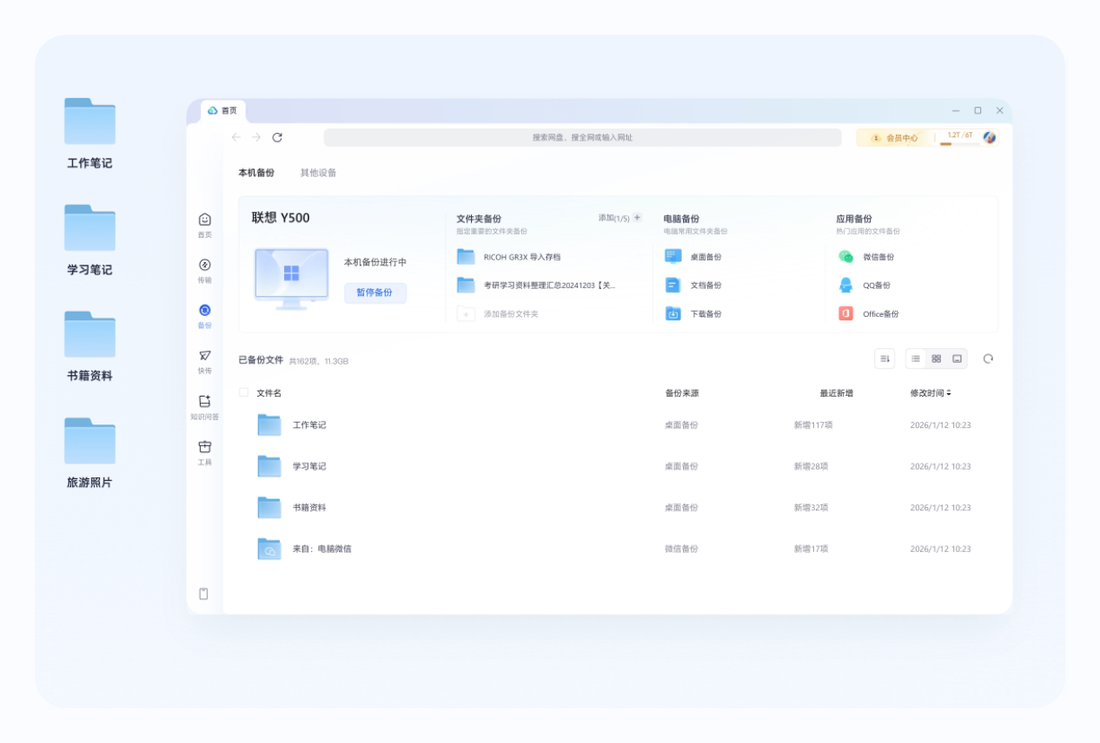
How do I register and log in to Quark Drive on a Windows computer?
The most reliable method on a computer is the web version: open the Quark Drive web entr
y point,choose WeChat login to bring up a QR code, then on your phone tap the plus sign in the top-right corner of WeChat, tap Scan, aim at the QR code, and tap to allow authorization to get in, with no mainland-China phone number needed; if it prompts you to bind a phone number, you can simply ignore it. This WeChat QR-code method is especially suitable for overseas Chinese, and you get 10GB after registering. Whether there's a separate standalone Windows client isn't specified in the source material, so prefer the web version (the client situation needs to be confirmed by testing).
Can I register and log in to Quark Drive on a Mac? Is there a client?
On a Mac you can log in via the web version: open the Quark Drive web entry point,
choose WeChat login, scan the QR code with your phone's WeChat and tap to allow authorization, and you can ignore the prompt to bind a phone number. Overseas Chinese can use this trick to skip the mainland-China phone number and get 10GB after registering. The source material doesn't specify whether there's a dedicated Mac desktop client, so it's advisable to first use the web version in a browser; whether there's a native Mac client should be confirmed on the official download page (the client situation needs to be confirmed by testing).
How do I log in to the Quark Drive web version, and what's the URL?
The Quark Drive web version's entry point is quarknetdisk.com. When logging in,
choose WeChat login, and after the QR code appears on the page, open the plus sign in the top-right corner of WeChat on your phone, tap Scan, aim at the QR code, and be sure to tap to allow authorization to get in; if a prompt to bind a phone number appears, you can simply ignore it. With this method, overseas Chinese don't need a mainland-China phone number, and after logging in you get 10GB of free space.
What should Taiwan users watch out for when registering Quark Drive on an Android phone?
A few things to note. First,
Quark Drive's phone verification codes only work with mainland-China numbers, and a Taiwan number won't receive them, so use WeChat login instead: first register a WeChat account with a Taiwan number, then in the Quark Drive app choose WeChat login and authorize by scanning the QR code, ignore the prompt to bind a phone number, and you get 10GB after registering. Second, in some regions the app store may not have the Quark Drive app, so on Android you can download and install it via a third-party store like APKPure. Third, the servers are in mainland China, so a direct connection from Taiwan may be slow, and you can use a back-to-China line if needed to improve access.
FAQ
Below are the most common questions and answers about Detailed explanation of Quark network disk registration and login difficulties and account security. Click any question to read the full details.
Can a Singapore StarHub or Singtel number receive Quark Drive verification codes?
Basically no. Quark Drive's official phone-number verification code channel for registration and login is only open to mainland-China phone numbers, and overseas numbers from Singapore's StarHub, Singtel, and others generally can't receive the codes, which is consistent across multiple sources. The solution is to switch to WeChat QR-code login to bypass this: first register a WeChat account with a local number, then on Quark Drive's web version or app choose WeChat login and authorize by scanning the QR code, ignore the prompt to bind a phone number, and you get 10GB after registering.
Is it normal that a Malaysia Maxis or Digi number can't receive the code when registering Quark Drive?
It's normal and not your fault. Quark Drive's phone verification code channel is only open to mainland-China phone numbers, and not receiving codes on overseas numbers from Malaysia's Maxis, Digi, and others is a widespread situation. You can switch to WeChat QR-code login to bypass it: first register a WeChat account with a local number, then on Quark Drive choose WeChat login, scan the QR code, and tap to allow authorization, ignore the prompt to bind a phone number, and you can start using it, with 10GB of free space after registering.
Can I sign up for Quark Drive with a Thai phone number (+66)?
Registering by having a Thai number receive the verification code directly basically won't work, because Quark's verification-code system only supports mainland-China phone numbers, and an overseas +66 number usually won't receive the code. You can still create an account, though, by getting around it with WeChat scan-to-login: first use your Thai number to register a WeChat account, then go to the Quark web version or app, choose WeChat login, scan the QR code to authorize, and ignore any prompt asking you to bind a phone number. Once registered, you get 10GB of free space.
Can a Vietnamese phone number (+84) be used to register for Quark Drive?
Registering by having a +84 Vietnamese number receive the SMS verification code directly usually won't work, since Quark's verification-code system only supports mainland-China phone numbers and overseas numbers won't receive the code. The workable approach is to switch to WeChat scan-to-login: first use your Vietnamese number to register a WeChat account, then in Quark choose WeChat login, scan the QR code, and tap to allow authorization. If it prompts you to bind a phone number, just ignore it. Once registered, you likewise get 10GB of free space.
Is it possible to register for Quark Drive with an Indonesian phone number (+62)?
Registering by having a +62 Indonesian number receive the verification code directly generally isn't possible, since Quark's verification-code system only supports mainland-China phone numbers and overseas numbers won't receive the code. Switching to WeChat scan-to-login gets around it: first use your Indonesian number to register a WeChat account, then go to the Quark web version or app, choose WeChat login, and scan to authorize. Ignore any prompt to bind a phone number. Once registered, you get 10GB of free space.
Can a Philippine phone number (+63) be used to create a Quark Drive account?
Registering by having a +63 Philippine number receive the verification code directly usually won't work, since Quark's verification-code system only supports mainland-China phone numbers and overseas numbers won't receive the code. But you can still create an account by getting around it with WeChat scan-to-login: first use your Philippine number to register a WeChat account, then in Quark choose WeChat login, scan the QR code, and tap to allow authorization. Ignore any prompt to bind a phone number. Once registered, you likewise get 10GB of free space.
I can't register for Quark with a local number in Singapore. What are my alternatives?
A local number won't work for registration because the verification-code system only accepts mainland-China phone numbers. The most recommended alternative is WeChat scan-to-login: first use your local Singapore number to register a WeChat account, then go to the Quark web version or app and choose WeChat login. Open Scan in WeChat, point it at the QR code, and tap to allow authorization. If a prompt appears asking you to bind a phone number, just ignore it and you'll get in. Once registered, you get 10GB of free space. This is a confirmed working method verified by multiple real-world tests, and it needs no mainland phone number.
I'm an overseas student without a mainland number. How do I borrow a family member's phone number to register for Quark?
In most cases you actually don't need to borrow anyone's number. The easier approach is WeChat scan-to-login: use your local overseas number to register a WeChat account, then in Quark choose WeChat login, scan to authorize, and ignore the phone-number-binding prompt. No mainland phone number is needed at all, and you get 10GB once registered. If you really want to register using a family member's mainland number to receive the verification code, you can, but they'll need to forward the SMS code to you in real time. For convenience and long-term login, WeChat scan-to-login is usually easier (the specific limitations of registering with a borrowed number would need to be confirmed through real-world testing).
Is it OK to have a mainland relative or friend receive my Quark verification code? Are there any risks?
Technically, having a mainland relative or friend forward you the verification code to register works, but be aware that your account may then become tied to that person's phone number, so any future phone-number-based verification or account recovery would be linked to their number, which can be inconvenient. A worry-free alternative is WeChat scan-to-login: after using your local overseas number to register WeChat, scan to log in to Quark and ignore the binding prompt. No mainland phone number is needed, and you get 10GB once registered. The specific account risks of registering with a borrowed number aren't covered in detail in our source material (this would need to be confirmed through real-world testing).
Roughly how much does it cost to register a Quark Drive account overseas using an SMS-receiving service?
We recommend going with the free and compliant WeChat scan-to-login first; there's really no need to pay for an SMS-receiving service at all. Use your local overseas number to register a WeChat account, then in Quark choose WeChat login, scan to authorize, and ignore the phone-number-binding prompt. You'll get 10GB once registered. As for how much a third-party SMS-receiving service charges to register one account, our source material provides no pricing information, so we can't give a specific figure. On top of that, numbers from such services carry a risk of being banned and aren't a recommended approach (the pricing would need to be confirmed through real-world testing).
What do I do if my Quark Drive verification-code SMS is being blocked by the carrier?
First figure out which situation applies. If you're using an overseas number, it's most likely not being blocked at all; rather, Quark's verification-code system only supports mainland-China phone numbers, so an overseas number simply won't receive the code. Just switch to WeChat scan-to-login to get around it (register WeChat, scan to log in, ignore the binding prompt, and get 10GB once registered). If you're using a mainland number but suspect the carrier is blocking it, the general approach is to check your SMS blocking or blacklist settings, resend after a while, or retry on a different network (the specific handling of carrier blocking would need to be confirmed through real-world testing).
Quark Drive won't send the verification code and says I'm sending too frequently. How long do I have to wait?
Our source material doesn't give a specific wait time for Quark's frequency limit on sending verification codes, so we can't give you an exact number of minutes. The general approach is to wait a while (typically anywhere from a few minutes to an hour) and try again, and avoid tapping Send repeatedly in a short period (the specific wait time would need to be confirmed through real-world testing). If you're using an overseas number to begin with, you most likely won't receive the code at all, so don't keep hammering the resend button. Just switch to WeChat scan-to-login to get around it: after registering WeChat, go to Quark, choose WeChat login, scan to authorize, and ignore the binding prompt. You get 10GB once registered.
What do I do if Quark Drive registration gets stuck on the slider/jigsaw CAPTCHA and won't pass?
The slider/jigsaw is a human-verification check, and getting stuck is most likely due to an unstable network or moving too fast and tripping the risk controls. For overseas Chinese, the most reliable solution is to bypass the native phone-number registration entirely: just choose WeChat login. First register a WeChat account using a Taiwan or overseas phone number, then open the Quark web version or app, tap WeChat login, and when the QR code appears, use the Scan option under the plus sign in the top-right corner of WeChat to point at it and authorize. Tap to allow authorization and you'll get in, skipping the verification code and slider entirely. If you still want to go the phone-number route, switch to a more stable network and slow down your slider motion before retrying.
Quark Drive's slider verification keeps failing during registration. Does that mean I've been flagged by risk controls?
Not necessarily an account ban from risk controls. More commonly it's an unstable network or a slow cross-border connection causing the verification image to load incompletely, or multiple attempts from the same IP in a short period getting temporarily blocked. Rather than wrestling with the slider, overseas Chinese are better off using the official WeChat login to get around it: after registering WeChat with an overseas phone number, choose WeChat login in the Quark web version or app and scan to authorize, with no need to pass the slider verification again. If you insist on registering by phone number, try switching networks and waiting a bit before retrying.
Quark Drive says my account is frozen due to login from an unusual location. How do I unlock it?
When logging in to Quark Drive from overseas, because your IP is outside China and differs greatly from your usual location, it can trigger a security-protection notice. Generally you can follow the on-screen prompts to complete identity verification (via SMS or your original binding method) to lift it. If the verification code is sent to a mainland number you can't receive on, try logging back in using the WeChat login you previously authorized. Connecting to a back-to-China accelerator before using it overseas, to keep your exit IP more stable, can also reduce unusual-location alerts. The exact unlocking procedure depends on what the official page actually prompts; this point isn't covered in our source material and would need to be confirmed through real-world testing.
I forgot my Quark Drive password. How do I recover it from overseas?
If you originally got into Quark Drive via WeChat login, you actually don't have a separate password. Just log back in by scanning with the same WeChat account, with no recovery needed. If you bound a mainland phone number but can't receive the verification code, password recovery becomes rather troublesome. We recommend that overseas Chinese use WeChat authorization login as their regular entry point to avoid relying on a mainland number to receive codes. The specific password-recovery steps aren't covered in our source material; go by the options the official page actually offers, and confirm through real-world testing.
The mainland phone number bound to my Quark Drive has been deactivated. How do I rebind a new number from overseas?
Rebinding on Quark Drive usually requires first receiving a verification code on the old number to confirm your identity, so a deactivated old number makes things tricky. One practical workaround: if your account is also bound to WeChat, just keep using it via WeChat login so your day-to-day use doesn't depend on that deactivated phone number. If a Bind phone number prompt appears during registration, you could have just ignored it without binding in the first place. The specific rebinding procedure depends on the options the official page provides; it isn't covered in our source material and would need to be confirmed through real-world testing.
If I log in to the same account on both Android and iPhone for Quark Drive, will the files sync?
Yes. Quark Drive is cloud storage, so files live in the cloud. Whether you log in to the same account on Android, iPhone, or the computer web version, you see the same set of files, and uploads/deletions sync across devices. Overseas Chinese can move seamlessly between different devices on the same account too. The only thing is that when the cross-border network is slow, loading and uploading large files may take a bit longer.
Can an account registered on a phone be logged in on the computer web version of Quark Drive?
Yes. Quark Drive has an official web entry point at quarknetdisk.com, and logging in with the same account on a computer lets you see the files from your phone. On a computer, overseas Chinese commonly use WeChat login: when the QR code appears on the page, scan it with WeChat on your phone and tap to allow authorization to get in. It's the same set of cloud files as on your phone. When cross-border access is slow, the web page may take a bit longer to load.
Scan-to-login on the computer version of Quark Drive isn't scanning and keeps not responding. What do I do?
When scanning gives no response in Quark Drive, it's most likely that an unstable network kept the QR code from refreshing, or you missed tapping Allow authorization in WeChat. The correct steps are: open Scan under the plus sign in the top-right corner of the WeChat app, point it at the QR code on your computer, and once scanned, be sure to tap Allow authorization to redirect and log in. If it keeps not responding, first refresh the page to regenerate the QR code, and connect to a back-to-China accelerator to improve the cross-border connection before scanning again.
Sources:夸克网盘官方页, 微信官方, 夸克官方网站, 中国互联网络信息中心